Download The App
Download SBWLEats App on Goolgle PlayStore or AppleStore, you can also use our web version.
Manage. Grow. Succeed.
Take control of your business with our platform. Manage your time effectively, track your finances with ease, and access tools to optimize your operations. Connect with new customers, streamline your deliveries, and earn on your terms – all from one place.
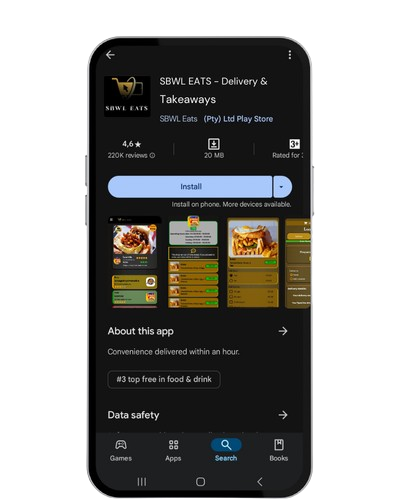
Download SBWLEats App on Goolgle PlayStore or AppleStore, you can also use our web version.
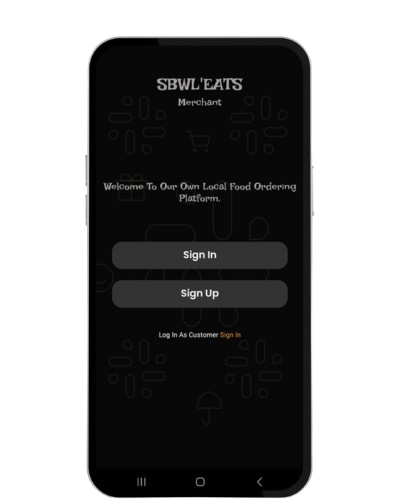
New merchant can easily sign up, they will receive an OTP via Email for confirmation and merchant code for Sign-in.
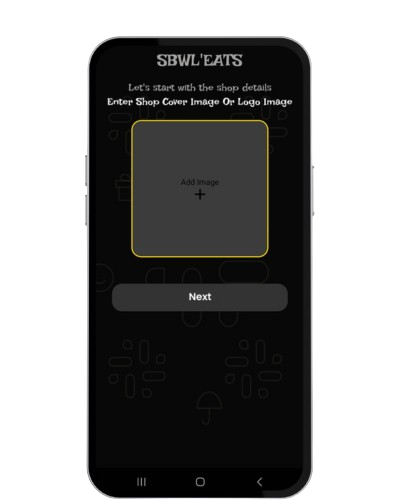
For users to identify your Restaurant, upload a Clear Restaurant Logo then Click Next.
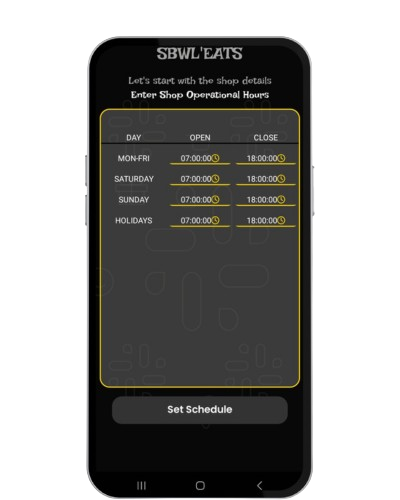
You can Set what time you want to Open or Close, which days and Holidays. SET Time to 00:00-00:00 To indicate Closed for that day.
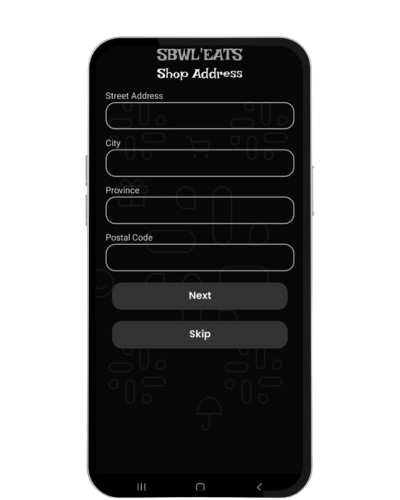
You will fill shop Address to help users located your store.
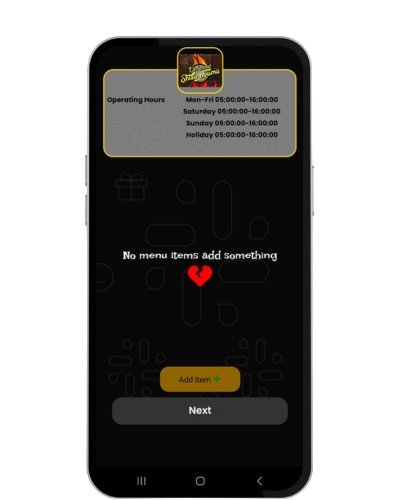
On your Add Menu Items, you will see Shop logo and Operational Hours. Click "Add Item" to add on your menu.
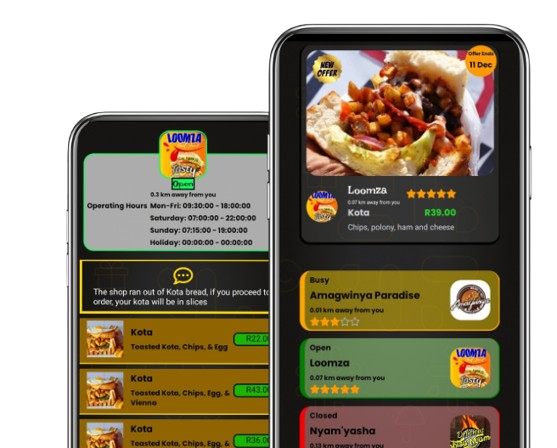
It's never been easier to order food. Look for the finest
discounts and you'll be lost in a world of delectable food.


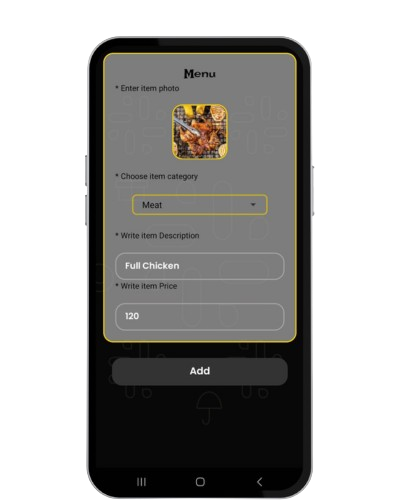
Add a clear image of Item, Choose category(Meat,Kota,Seafood,etc). Describe item e.g for Kota (Bread, chips, polony). Price without R
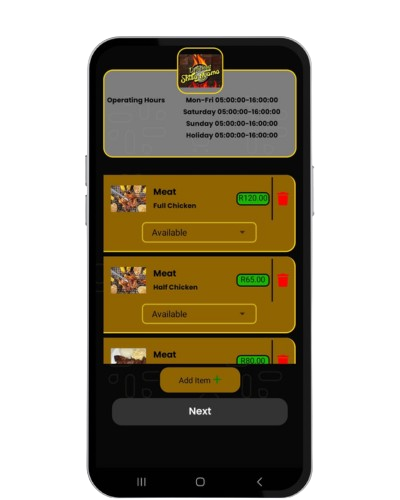
Your Menu will appear like this. You can remove item if no longer selling, adjust if available or not that moment.
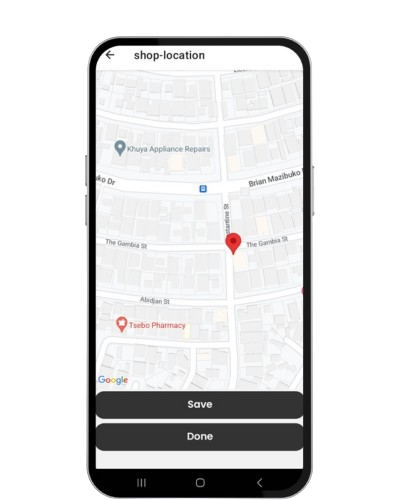
Use two fingers to zoom in/out. Press and hold pin, drag pin to store exact location. Then done.
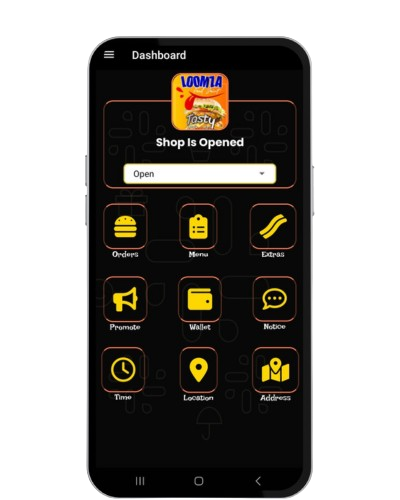
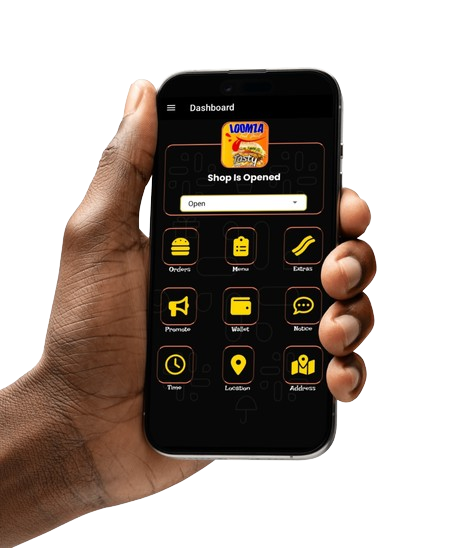
Dashboard includes shortcut nav, Shop Logo & Status (Open, Busy, Closed). You can adjust all on dashboard.
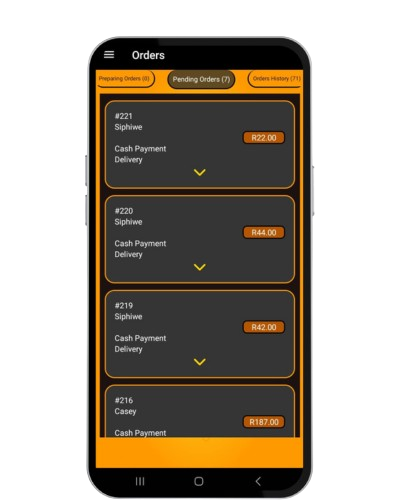
You will spend more time one the Orders page, all orders will come in here and adjusted here.
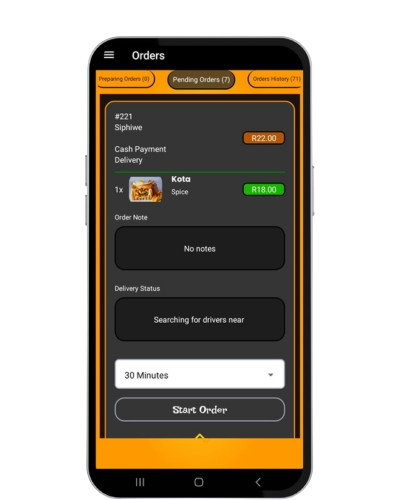
Your Order will have Order Number, Name of User, Collect/Delivery, Payment type, Items& Price. Accept/Decline Order.
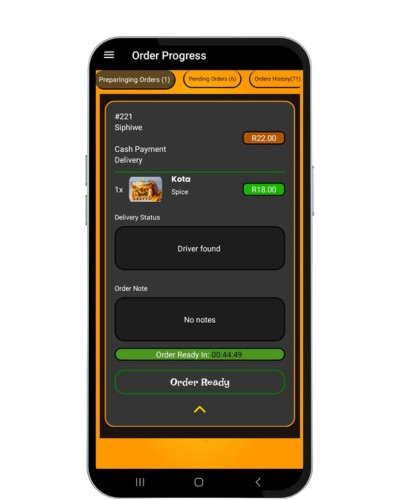
After accepting the order it will go to InProgress Tab, you can adjust time estimation to complete order.
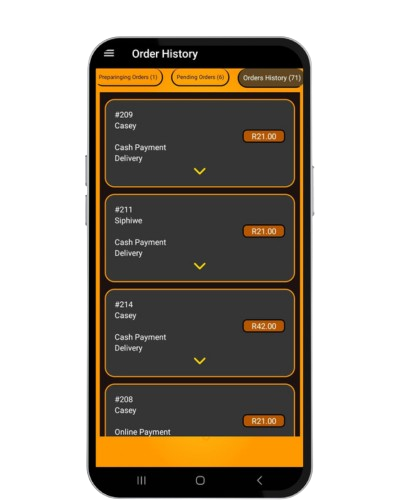
After timer is completed / order is ready, user will be notified to collect or the driver.
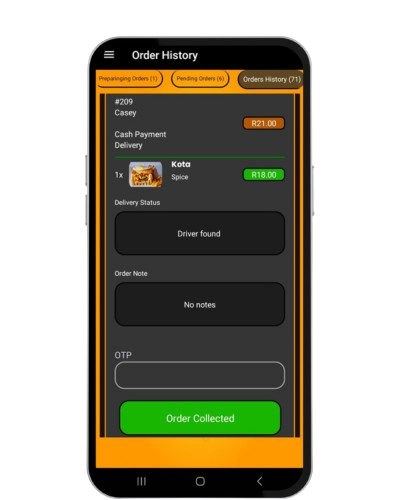
After order is ready Driver will be notified. Driver will provide Code to collect Order.
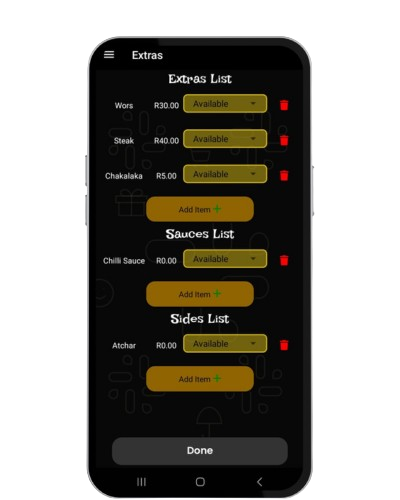
On the Dashboard you can add or remove Extras, Sides & Sauces. Note: Sides & Sauces are free.
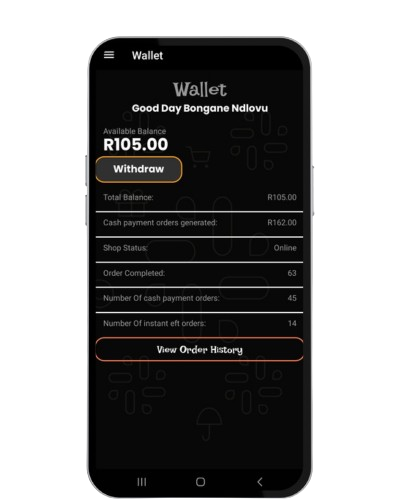
You manage your own finances, and you can check progress if business is growing and its analytics.
You're in charge of your finances, that is why you can withdraw your money at anytime.
Looking to grow your local food business and boost visibility for your fast food? Let SBWL EATS help you reach more customers with ease. Click below to join us as a Merchant today!
All rights Reserved © sbwl'eats, 2025
Made by UtopiaNex Technologies